









What you need
Every website starts not with code, but with a foundation. A set of simple things without which the magic cannot work.
To deploy a website, you need:
- a domain name — your address on the web;
- hosting — the place where the website lives;
- a database — the site’s memory;
- an email account — a communication channel.
If you do not yet have a domain name or hosting, WordMagic offers a SaaS subscription. In this case:
- WordMagic provides hosting and, if needed, a domain such as domain.wmcms.eu;
- installation and initial setup are handled by a WordMagic administrator.
Adding a domain to hosting
The domain must be linked to your hosting — you need to specify where the website will be located. For example, in cPanel this can be done in: Domains → Create A New Domain.
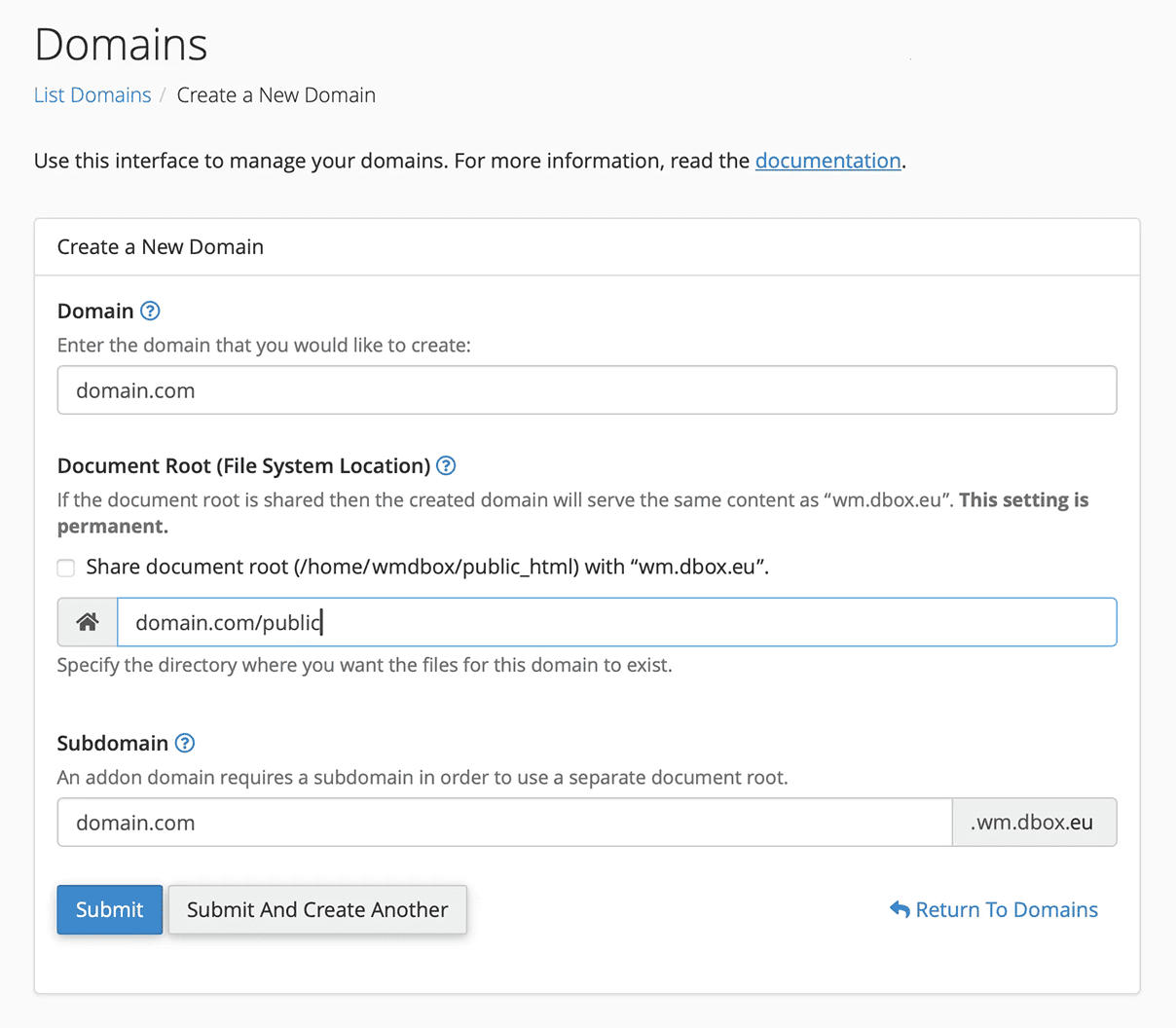
Fig. 1. Adding a domain name to hosting.
When adding a domain, you need to create a folder where the website will be placed — the Document Root. This is the root folder from which the site begins its path. We recommend using the following structure:
domain.com/public
Creating a database
A website needs memory. That is what a database is for. In cPanel, a database can be created using the MySQL Database Wizard.
Step 1
Enter the database name suffix. Usually, this is a short name of the website.
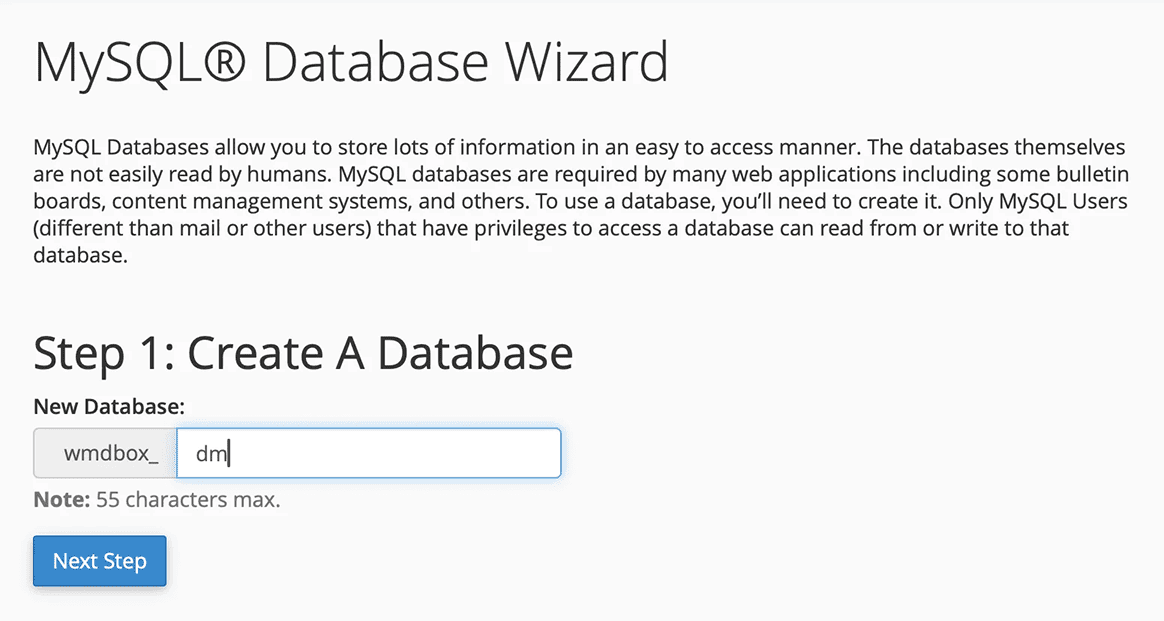
Fig. 2. Creating a database.
Step 2
Create a database administrator by entering a username suffix and password.
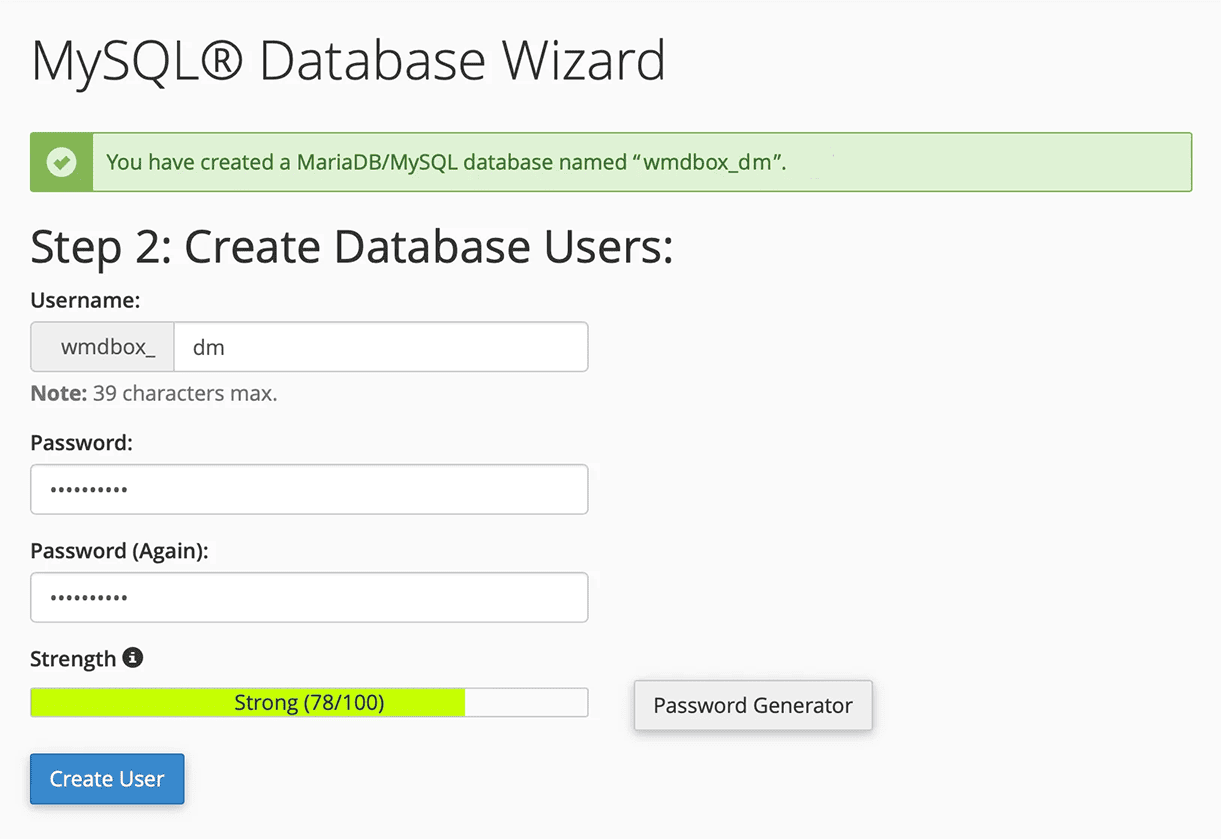
Fig. 3. Creating a database administrator.
Be sure to store the database name, administrator username, and password in a safe place.
You will need this information during the WordMagic installation.
Step 3
Grant the administrator full privileges (we recommend selecting all).
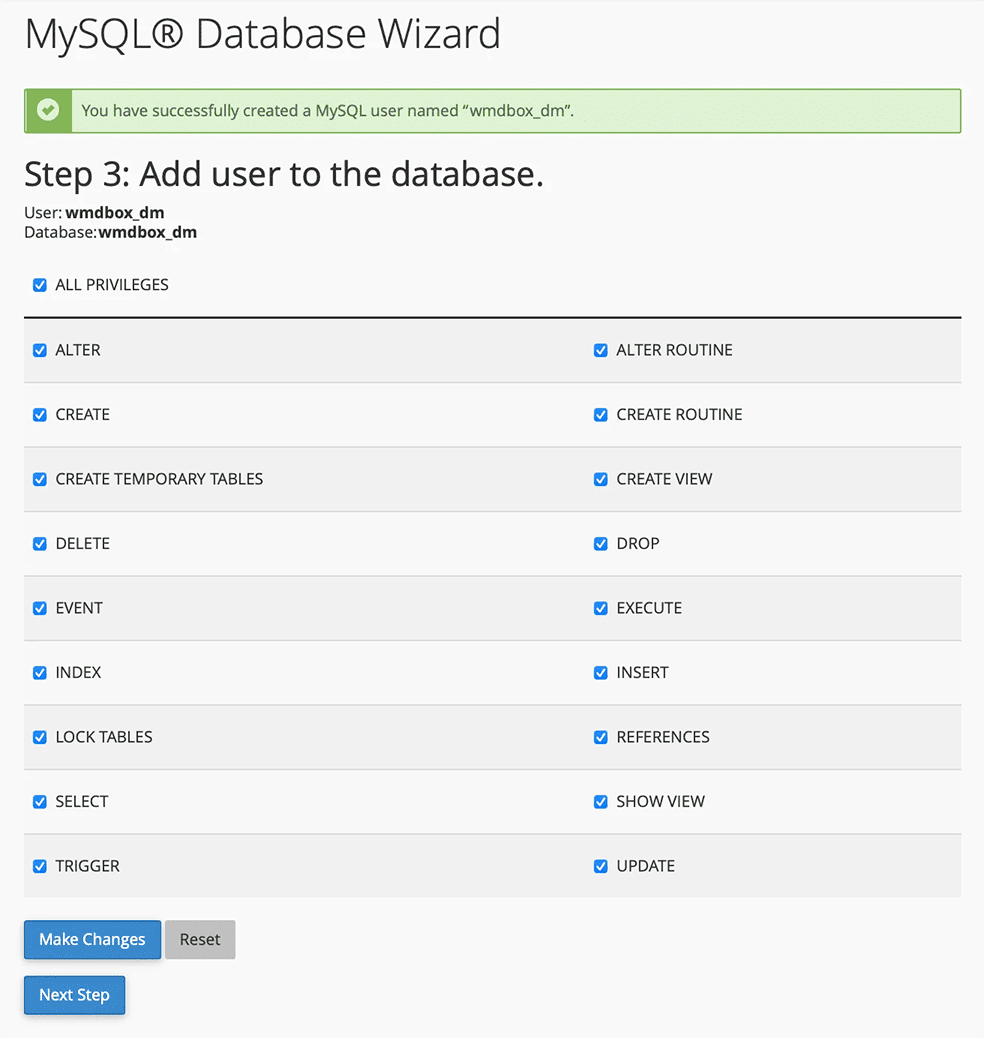
Fig. 4. Setting database administrator privileges.
Summary
After completing these steps, you should have three keys:
- database name;
- administrator username;
- administrator password.
This is enough to move on to the next stage - installing WordMagic CMS and the first touch of the magic of words.