









✨ The magic of invisible protection
True magic happens when complex things occur unnoticed. Your content should inspire people, not attract spam bots. To protect your forms, WordMagic CMS uses Google reCAPTCHA's intelligent algorithms that recognize humans by their natural behavior on the site.
Step 1. Creating a key in Google Cloud
The key creation process takes place in the Google Cloud Console. Google Cloud is a powerful professional platform, so let us guide you directly to the right section:
- Use the main menu (top left corner): Navigation Menu ( ) > Security > reCAPTCHA.
- Or use the direct link to the reCAPTCHA console.
First, click the "Create key" button and fill in the basic details for your website:
- Display name: Enter your project name (e.g., domain).
- Application type: Select Web.
- Domain list: Enter your website address (e.g., domain.com).
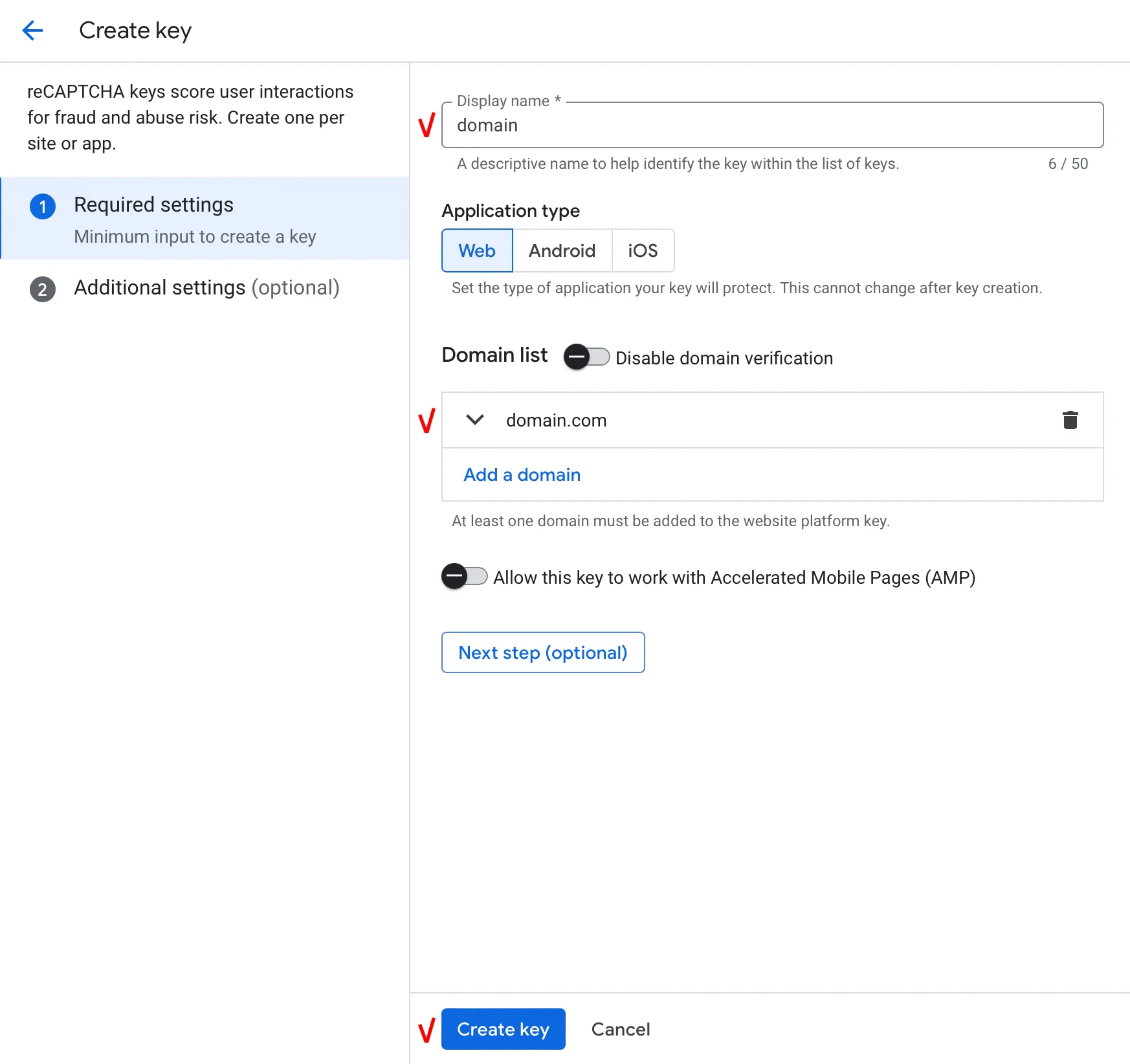
Fig. 1: Filling in the basic data for the reCAPTCHA key.
Step 2. Additional settings
After clicking "Next step", the system will offer to configure the protection behavior. For the ideal WordMagic CMS experience, we recommend the following:
- Will you use challenges? Leave this toggle set to Disabled. This ensures the "invisibility" of the check: users won't have to check the "I'm not a robot" box — WordMagic's magic does everything in the background.
- Are you creating this key for testing purposes only? Leave it Disabled. We need a working key for a "live" site.
- Will you deploy this key in a Web Application Firewall (WAF)? Also leave it Disabled, as we don't use specialized network firewalls.
Click "Create key".
Step 3. Key activation in WordMagic CMS
Now, go to your admin panel. Select the menu item: Settings > Other Settings > Mail and alarms.
In the reCAPTCHA block, you will see two fields. Copy the data from the Google Console:
- Site Key — your public identifier.
- Secret Key — your secret key for server-to-Google communication.
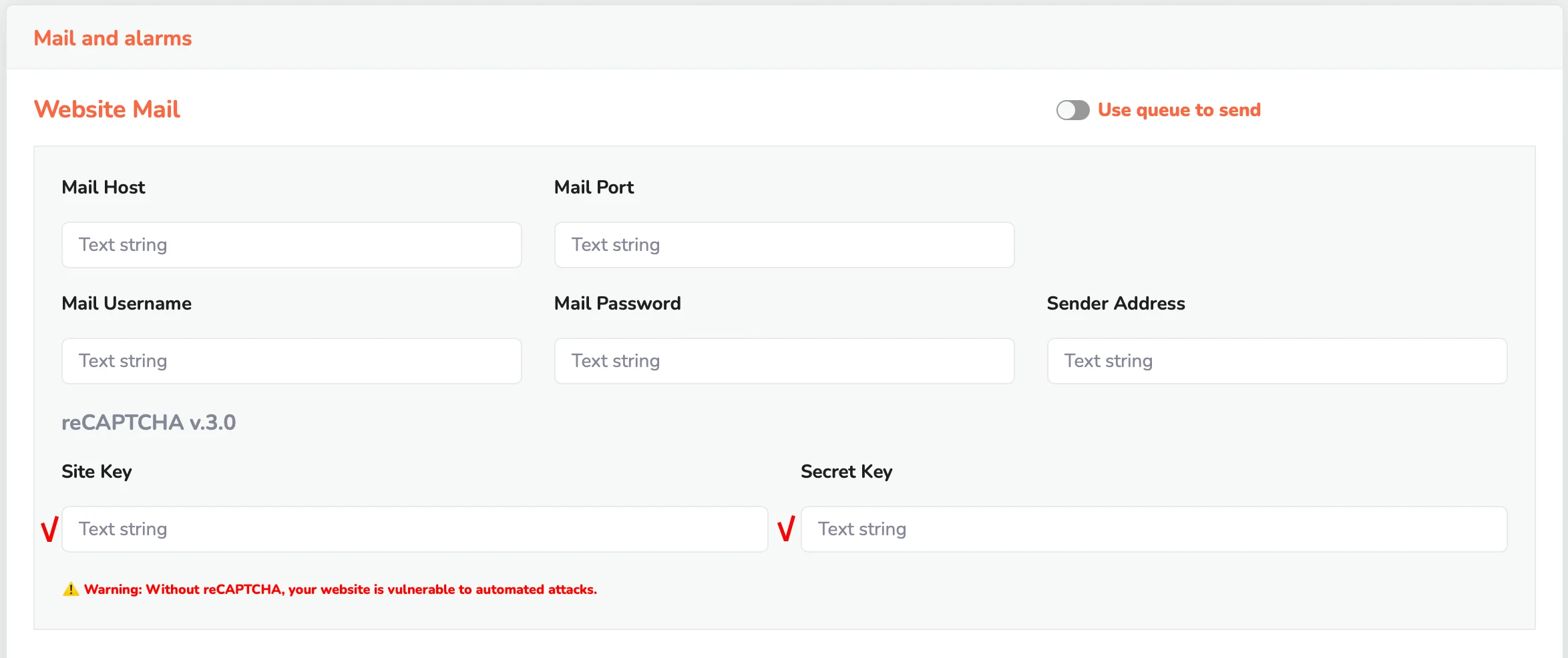
Fig. 2: Paste the keys and click "Save".
About limits and costs:
For most creative projects, protection remains free. The reCAPTCHA Essentials plan allows up to 10,000 assessments per month at no charge. This is more than enough for an active blog or business website.
Since WordMagic CMS is built on the modern Laravel framework, it automatically processes Google's responses in the background. Your creativity is now under a reliable shield, and visitors won't even notice how the system takes care of the website's security.